
Secret Folder Lock1.1 - App Store
You'll be able to see results in few seconds.
Publisher Description


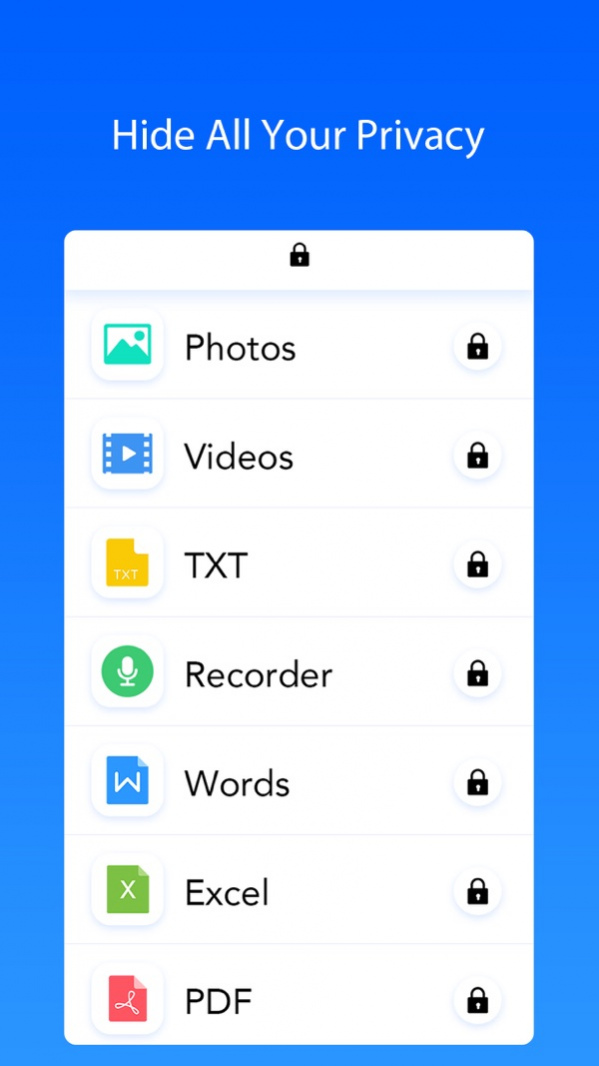

The BEST and MOST convenient privacy app to protect your private photos in your Photo Vault & videos and secret notes & audios and other personal files!
Photo Vault provides a secure Password System to keep your secret files 100% privately. Your files are ONLY stored in your Photo Vault and no one can touch them except yourself!
PROTECT YOUR PRIVACY
The password is needed to access private stuff
Support Touch ID
√ You can set a Pattern Lock access to protect your Photo Vault
√ Decoy Password - When you are forced to enter the password of Photo Vault, decoy password will be helpful to cover your real privacy
√ Folder password - Further protection to keep people out of your private folders in the Photo Vault
√ Login Reports - The Photo & GPS Location will be snapped when someone wants to peep your Photo Vault
FILE MANAGEMENT
√ You can sort out files by date/type/size/name in Photo Vault
√ The Photo Vault user can set up Multiple Folder&Subfolder for Better Organizing of Files
√ You can Rename or Search Files quickly in Photo Vault
Copy/Move Multiple Files in seconds
√ Support Zip/Unzip Files within the Photo Vault
√ High-efficiency Action Respond
√ The user can find Multiple File Formats within Photo Vault
- Image: tiff, tif, jpg, jpeg, gif, png, BMP, BMPf, ico, cur, xbm
- Video: mov, mp4, mpv, m4v, 3gp
- Audio: mp3, wav, aacf, aiff
- Docs: doc, xls, ppt, txt, pdf, pages, numbers, key, rtf, etc
FILE ADDING FILE SENDING
√ Photo Vault provide Easy WiFi Transfer
√ Fast iTunes Sync
Convenient Bluetooth Transfer
Use AirDrop to Transfer Photos & Videos
√ Import/Export pics from Camera Roll
√ A Camera was set up in Photo Vault.
√ Add Note/Voice Memos within the Photo Vault.
√ Send Files via Email
√ Send Photos via MMS
√ Send Files via Open In
MEDIA SUPPORT
√ Image Gallery & Image List
√ The Photo Vault provide Slideshow
√ Watch Video In Photo Vault
The Photo Vault has Music Player
Browse All Kinds of Files within The Photo Vault
Download it now! You will definitely immediately deeply fall in love with this powerful Photo Vault!
Version History - Bug fixes and performance improvements. 1.1 01/04/2018 1.0 12/16/2017
About Secret Folder Lock
The company that develops Secret Folder Lock is Dhani Jagatap. The latest version released by its developer is 1.1.
To install Secret Folder Lock on your iOS device, just click the green Continue To App button above to start the installation process. The app is listed on our website since 2026-10-14 and was downloaded 0 times. We have already checked if the download link is safe, however for your own protection we recommend that you scan the downloaded app with your antivirus. Your antivirus may detect the Secret Folder Lock as malware if the download link is broken.
How to install Secret Folder Lock on your iOS device:
- Click on the Continue To App button on our website. This will redirect you to the App Store.
- Once the Secret Folder Lock is shown in the iTunes listing of your iOS device, you can start its download and installation. Tap on the GET button to the right of the app to start downloading it.
- If you are not logged-in the iOS appstore app, you'll be prompted for your your Apple ID and/or password.
- After Secret Folder Lock is downloaded, you'll see an INSTALL button to the right. Tap on it to start the actual installation of the iOS app.
- Once installation is finished you can tap on the OPEN button to start it. Its icon will also be added to your device home screen.
Program Details
System requirements
Download information
Pricing
Version History
version 1.1
posted on 2026-10-14
Version History - Bug fixes and performance improvements. 1.1 01/04/2018 1.0 12/16/2017
version 1.1
posted on 2026-09-05
Version History This app has been updated by Apple to prepare for watchOS 27 compatibility. No new features are included.
- Bug fixes and performance improvements. 1.1 01/04/2018 1.0 12/16/2017
version 1.1
posted on 2026-08-24
Version History This update from Apple will improve the functionality of this app. No new features are included.
- Bug fixes and performance improvements. 1.1 01/04/2018 1.0 12/16/2017
version 1.1
posted on 2018-01-04
Jan 4, 2018 Version 1.1
This app has been updated by Apple to display the Apple Watch app icon.
- Bug fixes and performance improvements.
Disclaimer
Official App Store Link
We do not host Secret Folder Lock on our servers. We did not scan it for viruses, adware, spyware or other type of malware. This app is hosted by Apple and passed their terms and conditions to be listed there. We recommend caution when installing it.
The App Store link for Secret Folder Lock is provided to you by apps112.com without any warranties, representations or guarantees of any kind, so access it at your own risk.
If you have questions regarding this particular app contact the publisher directly. For questions about the functionalities of apps112.com contact us.
